Amazon Listing Image Requirements, and the Rules That Actually Get You Suppressed
There are two sets of image rules on Amazon: the technical ones that decide whether an upload succeeds, and the policy ones that decide whether your listing quietly stops showing. The second set is where sellers get hurt, because nothing tells you at upload time.
Check before you build. Everything below reflects Amazon's US requirements as at August 2026, and Amazon revises them. Category-specific rules also override the general ones — apparel, shoes and some media categories have their own. The authoritative version is in Seller Central under Product image requirements. Treat this page as an explanation, not a policy document.
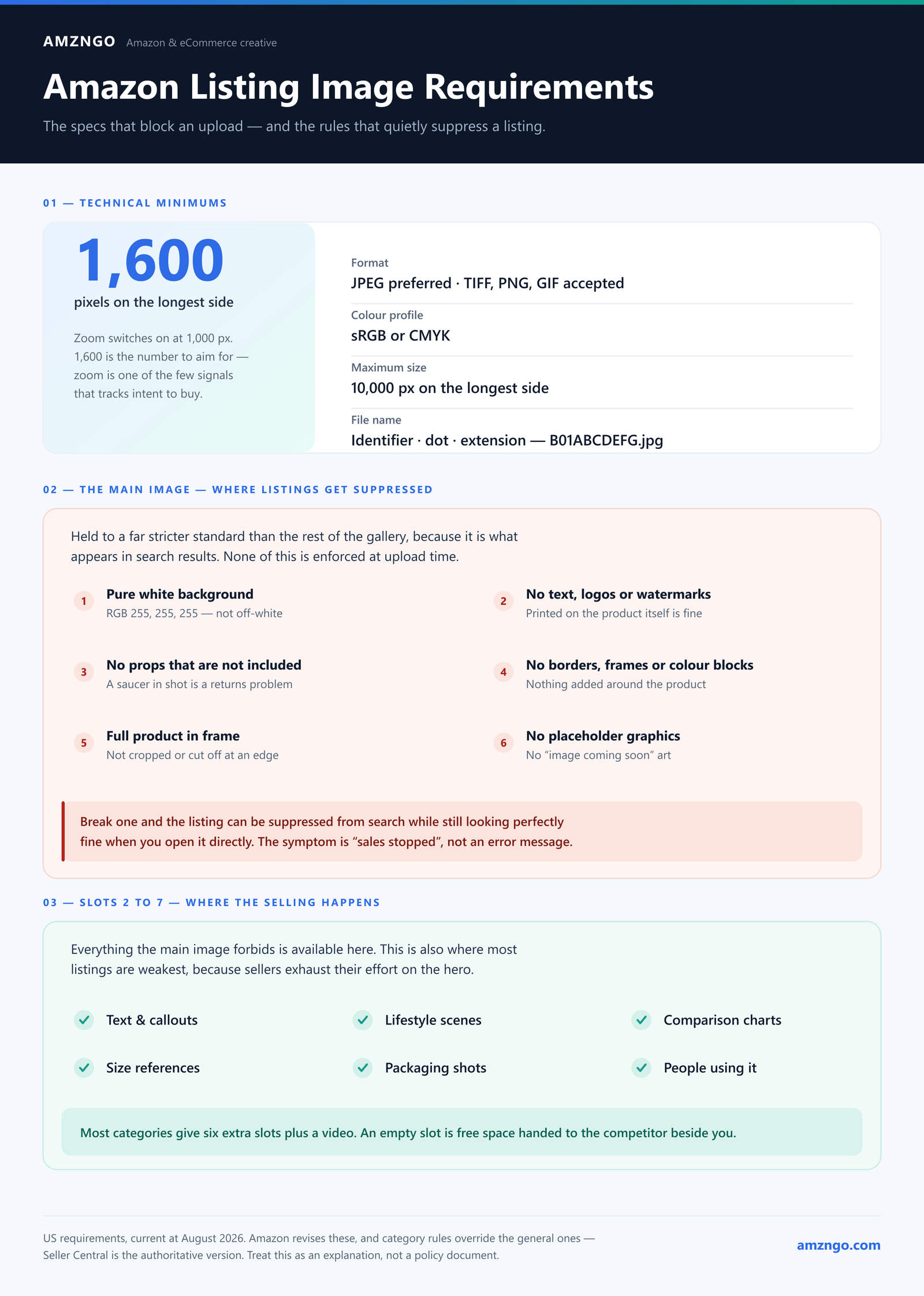
The technical minimums
- Format: JPEG (.jpg) is preferred. TIFF, PNG and GIF are accepted; JPEG is what you want for photographic content.
- Colour: sRGB or CMYK. Files exported in other profiles can shift colour noticeably once Amazon processes them.
- Size for zoom: at least 1,000 pixels on the longest side is the threshold at which zoom turns on. 1,600 pixels or more is the number to aim for — zoom is one of the few interactions that correlates with intent to buy, and there is no reason to ship under it.
- Maximum: 10,000 pixels on the longest side.
- File naming: the identifier (ASIN, UPC, EAN or ISBN), then a dot, then the extension. No spaces, dashes or extra characters.
- Frame fill: the product should occupy roughly 85% of the frame.
The main image rules — this is the set that matters
The main image is held to a much stricter standard than the rest of the gallery, because it is what appears in search results. Get it wrong and the listing can be suppressed from search entirely while still looking perfectly fine when you visit it directly. Sellers lose weeks to this, because the symptom is "sales stopped" rather than an error message.
- Pure white background — RGB 255, 255, 255. Not off-white, not a soft studio gradient. Pure white is what lets the image sit seamlessly on Amazon's white results page.
- No text, logos, watermarks or graphics of any kind added to the image. Branding that is physically printed on the product or its packaging is fine — that is the product. An added badge saying "Best Seller" or "2-Pack" is not.
- No props or accessories that are not part of what you are selling. If the mug is photographed on a saucer and no saucer is included, that is a violation and a returns problem.
- No borders, frames, insets or colour blocks.
- The full product in frame, not cropped or cut off at an edge.
- No nudity or offensive material, and no placeholder or "image coming soon" graphics.
Apparel and a few other categories add their own requirements — some want the product on a model, some want it flat and unworn. Check your specific category before shooting anything.
What you can do in the other slots
Everything the main image forbids is available in images two through seven. Text, callouts, lifestyle scenes, comparison charts, size references, packaging shots, people using the product. This is where the selling actually happens, and it is also where most listings are weakest, because sellers exhaust their effort on the hero and treat the rest as an afterthought.
Most categories give you six additional slots plus a video. Use all of them — an empty slot is free space you handed to the competitor whose listing sits next to yours.
The mistakes that cost the most
Shooting for desktop
The majority of Amazon browsing happens in the mobile app. Annotation text that reads comfortably on a monitor becomes illegible on a phone, and thin callout lines disappear entirely. Set your text sizes by checking on an actual device, not by eye at 100% zoom on a laptop.
Off-white that looks white
A lightbox produces something close to white, and "close" is not the standard. Sample the background in an image editor and confirm it reads 255, 255, 255. This is the single most common reason a main image gets flagged, and it is invisible until you measure it.
A hero that is technically perfect and commercially useless
Compliance is the floor, not the goal. A rule-following main image that shows the product small, at an angle that hides its recognisable shape, in a colour that vanishes against white, will pass every check and still lose the click. Shrink it to thumbnail size, put it beside your four closest competitors, and see whether it survives.
Ignoring the video slot
Video is available to brand-registered sellers and remains under-used in most categories. In anything with a mechanism, an assembly step or a size question, a few seconds of motion does what a static infographic needs a paragraph and three arrows to attempt.
A quick pre-upload checklist
- Background sampled and confirmed at 255, 255, 255
- Longest side 1,600px or more
- Product filling about 85% of the frame, nothing cropped
- No added text, logos, badges or borders on the main image
- No props that are not included in the purchase
- Filename is the ASIN or UPC with no extra characters
- Every available slot used, plus video if you are eligible
- All of it checked on a phone before it ships
Want your listing checked against this?
Send us the ASIN. We'll tell you what would fail, what is compliant but not converting, and which slot is costing you the most — free.
Get a free listing auditMore on listing image design and why listings get traffic without converting.