Amazon Listing Video: What to Make, How Long, and What Gets Rejected
The video slot is the most under-used space on an Amazon listing. It sits in the gallery next to your images, most competitors have left it empty, and it is the only asset that can answer a "how does it work" question without asking anyone to read.
Check the current spec before you export. Amazon's accepted formats, resolutions and file-size limits are listed in Seller Central and are revised periodically. What follows is stable advice about content and policy as at August 2026 — for the technical numbers, take them from Seller Central at the moment you upload, not from a blog post.
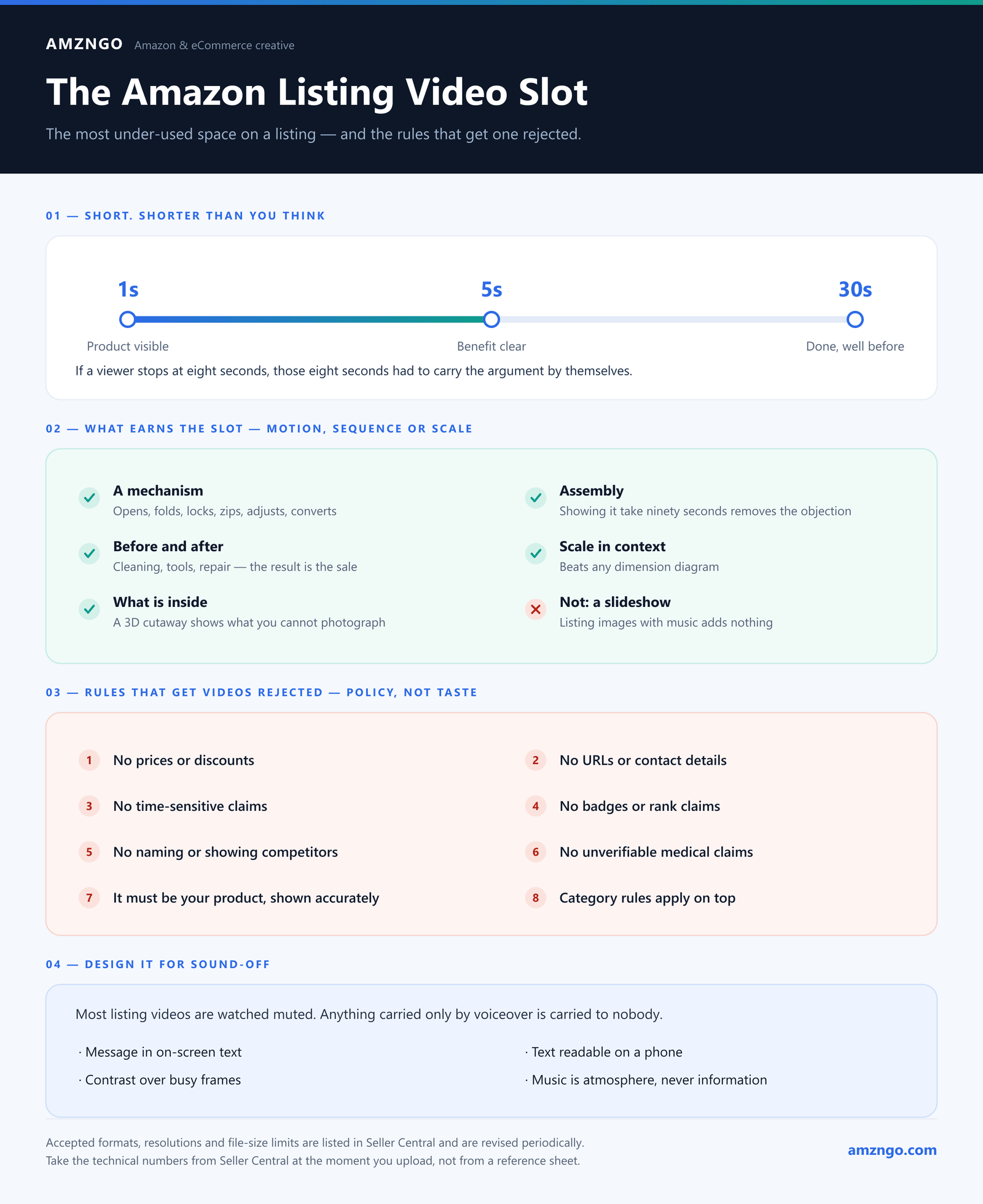
Short. Shorter than you think
Attention on a listing video collapses fast. Someone is mid-decision, comparing three products, on a phone — they are not settling in.
Practical shape: the product visible in the first second, its main benefit clear within five, and the whole thing done well before thirty. If a viewer stops watching at eight seconds, those eight seconds need to have carried the argument by themselves.
Longer cuts have a place — your Brand Store, A+ content if you have Premium, and ads. The listing gallery is not it.
Make the video the images cannot replace
The mistake is producing a video that is a slideshow of the listing images with music over it. That adds nothing, and it costs you the one slot that could have added something.
Video earns its place when there is motion, sequence, or scale to communicate:
- A mechanism. Anything that opens, folds, locks, zips, adjusts or converts. Two seconds of motion beats an infographic with three arrows and a caption.
- Assembly. If buyers worry it will be hard to put together, showing it taking ninety seconds removes the objection entirely.
- Before and after. Cleaning products, tools, repair materials — the result is the sale.
- Scale in context. Video shows size against a real environment better than any dimension diagram.
- What is inside. A 3D cutaway shows construction you cannot photograph without destroying the product.
If none of those apply, your video budget is probably better spent on a stronger image set.
Rules that get videos rejected
These are policy, not taste, and they are stable across marketplaces:
- No prices or discounts. Prices change; Amazon does not want them baked into an asset.
- No URLs, contact details, or anything pointing off Amazon.
- No time-sensitive claims — "sale ends Friday", "new for 2026".
- No badges or rank claims — "#1 best seller", "Amazon's Choice".
- No naming or showing competitors, including in comparison shots.
- No unverifiable medical or safety claims. Category rules apply on top.
- It must be your product, shown accurately. A render that flatters proportions or shows a finish you do not ship is a listing violation before it is a returns problem.
Design it for sound-off
Most listing videos are watched muted. Anything communicated only by voiceover is communicated to nobody.
- Carry the message in on-screen text and in the visuals themselves
- Text large enough to read on a phone — check on a device, not by eye on a laptop
- Enough contrast that text survives over a busy frame
- Music is atmosphere, never information
Filmed or 3D?
Both work, and the choice usually decides itself:
Filmed when there is a person using it, when the material is soft or organic, or when you have one product and need it next week.
3D when you need a cutaway or exploded view, when the product does not exist yet (pre-launch, crowdfunding), when you sell many variants and want each to have its own video, or when you already have a model built for the still images — at that point the animation is comparatively cheap because the expensive part is done. We went through where that break-even sits in 3D rendering vs photography.
A workable structure
For most products, in order:
- 0–1s. The product, clearly, filling the frame. No logo animation — nobody waits through a brand sting.
- 1–5s. The single benefit that separates you from the cheaper option, shown.
- 5–15s. The mechanism, the assembly, or the before-and-after.
- 15–25s. Scale or context — it in the place it will live.
- Last frame. Product and brand, held still long enough to register.
Logo animations at the start are the most common own goal in this format. The viewer has already decided by the time yours finishes playing.
Product that needs demonstrating?
Send us the product and what buyers keep asking about it. We'll tell you whether video answers it, or whether one more image would do the same job for less.
Ask usMore on 3D animation and product video and 3D modeling.